
Gaming in 2025 PC that can handle both gaming and video editing is a smart and cost-effective move. Instead of spending money on two separate systems, you can design one powerful machine that delivers high frame rates in your favorite games while smoothly rendering 4K videos. Gamers and content creators often need similar hardware performance — fast processors, plenty of RAM, and high-end graphics cards — making it easy to combine both needs into one ultimate setup.
Gaming PCs and editing workstations share a lot of common ground. Both demand strong CPUs for multitasking, powerful GPUs for real-time rendering, and fast storage to handle large files and projects. By understanding how these components work together, you can create a system that boosts creativity and performance without breaking the bank.
In this article, you’ll discover everything you need to know about building or buying the perfect hybrid PC. We’ll explore the ideal specs for gaming and editing, recommend top-performing builds, and share expert buying tips to help you get the best value for your money. Whether you’re a gamer, YouTuber, or aspiring filmmaker, this guide will help you create a PC that does it all.
What Makes a Great PC for Both Gaming and Video Editing

Building a PC that excels at both gaming and video editing is all about finding the right balance between raw processing power and graphical performance. A great hybrid system doesn’t just play games smoothly — it also handles heavy editing tasks like rendering, color correction, and exporting high-resolution footage without slowing down.
When it comes to performance, the CPU (processor) and GPU (graphics card) play leading roles. For video editing, a strong CPU is essential for multitasking, encoding, and timeline playback. Gamers, on the other hand, benefit more from a powerful GPU that delivers sharp visuals and high frame rates. Ideally, your build should include both — a multi-core CPU paired with a high-end GPU to get the best of both worlds.
RAM and storage speed also make a huge difference. At least 32GB of RAM ensures smooth editing and gaming, while SSDs or NVMe drives drastically cut down load and render times. Efficient cooling systems keep performance stable during long sessions, and upgradability ensures your PC stays future-proof as technology evolves. By striking the perfect balance, you can enjoy top-tier gaming and professional-level editing on one powerhouse machine.
Key Components Breakdown Building the Ultimate Gaming and Editing PC (2025 Guide)
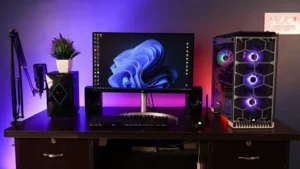
a. Processor (CPU)
The processor is the heart of any PC, and for gaming and video editing, it plays a massive role in overall performance. More cores and higher clock speeds allow faster rendering, smoother multitasking, and seamless gameplay. In 2025, top picks include Intel Core i7/i9 (13th–14th Gen) and AMD Ryzen 7/9 (7000 series). Intel chips often deliver better gaming performance due to higher single-core speeds, while AMD CPUs shine in editing tasks thanks to their multi-core efficiency. The best choice depends on your priority — gaming fluidity or faster render times.
b. Graphics Card (GPU)
The GPU handles graphics-intensive tasks and is crucial for both gaming and video rendering. Many editing programs like Adobe Premiere Pro and DaVinci Resolve now use GPU acceleration to speed up effects and exports. For 1440p or 4K gaming, the NVIDIA RTX 4070, 4080, 4090, or AMD RX 7900 XT are top contenders. As for VRAM, 12GB–16GB is ideal for 4K editing and heavy projects.
c. Memory (RAM)
Smooth performance relies heavily on RAM. For gaming and light editing, 16GB is the minimum, while professional editors benefit from 32GB–64GB. DDR5 RAM Gaming in 2025 offers faster speeds and improved efficiency over DDR4, making it the better choice for future-proof builds.
d. Storage
Fast storage shortens boot and render times. An NVMe SSD is perfect for your OS and editing software. Add a secondary SATA SSD or HDD for raw footage and completed projects. A balanced setup includes an OS drive, a scratch drive, Gaming in 2025 and a storage drive for maximum efficiency.
e. Motherboard & Power Supply
Choose a motherboard chipset that matches your CPU and supports future upgrades. A reliable 80+ Gold certified PSU ensures stable power delivery, Gaming in 2025 while modular designs help with clean cable management.
f. Cooling & Case
Good cooling keeps your PC performing at its best. Air coolers are affordable and quiet, but liquid cooling offers superior heat control for long editing sessions. Choose a case with strong airflow, low noise levels, and tidy cable management for a sleek, professional setup.
Top PC Builds for Gaming and Video Editing in 2025
When it comes to building a PC that can handle both gaming and professional video editing, your budget and performance needs play a huge role. Below are three powerful setups — High-End, Mid-Range, and Budget Builds — carefully designed to give you the best experience whether you’re editing 4K videos or playing AAA games.
High-End Build (Professional Editor & 4K Gamer)
If you want the absolute best performance for demanding editing software and ultra-smooth 4K gaming, this setup is your dream machine. The Intel i9-14900K or Ryzen 9 7950X offers unmatched multitasking power and lightning-fast rendering speeds. Gaming in 2025 Paired with an RTX 4080 or 4090 GPU, you’ll experience flawless real-time playback and stunning visuals in both games and editing timelines. With 64GB of DDR5 RAM, multitasking and editing large 8K files become effortless. For storage, a 1TB NVMe SSD ensures blazing-fast load times, while a 4TB HDD provides plenty of space for media and projects. A premium liquid cooling system keeps everything running quietly and efficiently during long sessions.
Mid-Range Build (Balanced for Creators & Gamers)
For those who want great performance without breaking the bank, the mid-range setup offers a perfect balance between price and power. The Intel i7-13700K or Ryzen 7 7800X3D delivers exceptional value, handling 4K editing and high-end gaming with ease. Gaming in 2025 Paired with an RTX 4070 or AMD RX 7900 GRE, you’ll get smooth frame rates and fast rendering. 32GB of DDR5 RAM provides plenty of room for editing, streaming, and multitasking. A 1TB SSD ensures fast access to software and projects, while a 2TB HDD offers generous storage for footage and games.
Budget Build (Beginner Editor & 1080p Gamer)
If you’re just getting started with video editing or gaming, this build delivers impressive performance for its price. The Ryzen 5 7600 or Intel i5-13500 offers reliable speed for everyday editing tasks and 1080p gaming. Pair it with an RTX 4060 Ti or RX 7700 XT for smooth gameplay and GPU-accelerated editing. With 16–32GB of RAM, you’ll have enough memory for most creative workflows. Gaming in 2025 A 512GB SSD keeps your system fast, while a 1TB HDD gives you ample room for storage.
Prebuilt vs Custom PC

When deciding between a prebuilt PC and a custom-built system, it’s important to weigh your priorities — convenience, performance, cost, and upgradability. Both options have clear advantages depending on your skill level, time, and budget.
Pros and Cons of Prebuilt Systems
Prebuilt PCs come ready to use straight out of the box, making them perfect for beginners or users who don’t want the hassle of assembly. Gaming in 2025 These systems are professionally built, tested, and often come with warranties and tech support — ideal for those who just want to plug in and play or edit. Popular brands like Dell (Alienware), HP (Omen), and Corsair (Vengeance PCs) offer reliable, high-performance options.
However, prebuilt systems can be more expensive because you’re paying for assembly and branding. They may also include lower-quality components or limited upgrade options, making future upgrades more challenging.
When to Build Your Own PC
A custom PC build gives you full control over every component Gaming in 2025 from the processor to the case design.
This route often provides better value for your money and allows for easier upgrades down the road. Building your own system is also a great learning experience and can be deeply satisfying for tech enthusiasts.
That said, it requires time, research, and a bit of technical confidence. Mistakes in assembly or compatibility can lead to frustration if you’re new to PC building.
Essential Peripherals for Editing & Gaming
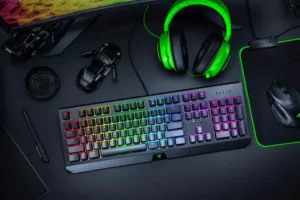
A powerful PC is only part of the equation — your peripherals play a major role in shaping your overall experience. Whether you’re gaming, editing videos, Gaming in 2025 or multitasking creatively, the right accessories can boost productivity, precision, and comfort. Here’s a look at the essential peripherals every gamer and video editor should consider.
Monitor: Clarity and Color Accuracy
Your monitor is your window into your work and gameplay. For editors, color accuracy and wide color gamut support (like 100% sRGB or Adobe RGB) are crucial for precise color grading. Gamers, on the other hand, benefit from high refresh rates (144Hz or more) and low response times for smooth visuals. Gaming in 2025 A dual-monitor setup can be ideal — one screen for editing or gaming, and the other for multitasking.
Keyboard and Mouse: Control and Comfort
A mechanical keyboard provides tactile feedback and faster response times, perfect for both creative shortcuts and competitive gaming. Gaming in 2025 Pair it with a precision gaming mouse that offers customizable DPI settings for fine control in editing software and in-game accuracy. Ergonomic designs also reduce strain during long hours of use.
Audio Gear: Hear Every Detail
High-quality studio headphones or gaming headsets make a huge difference in sound editing and immersive gameplay. Look for clear soundstage Atkapp and comfort, and consider adding external speakers or audio interfaces if you work with sound design or streaming.
Other Must-Have Accessories
A high-definition webcam is essential for streamers and content creators, while a dedicated microphone ensures crystal-clear voice recording
Gaming in 2025
Gaming in 2025 has entered one of its most transformative eras, driven by rapid advances in hardware, artificial intelligence, and player-driven creativity. This year marks a major shift toward hybrid gaming experiences, where handheld devices, Gaming in 2025 powerful consoles, and cloud platforms all work together seamlessly. Updated versions of the atkpp PlayStation 5 and Xbox Series systems, alongside popular handheld PCs like the Steam Deck OLED and ROG Ally 2, give players more freedom than ever, while the launch of Nintendo’s new Switch successor has revitalized hybrid play.
AI integration is now a defining feature of modern games. From smarter NPCs and personalized difficulty to real-time upscaling and frame generation, AI enhances both performance and immersion. Player-generated content has also surged, Gaming in 2025 with platforms Atkapp like Fortnite Creative and Roblox enabling millions to design worlds, stories, and full game experiences of their own.
Live-service games remain popular social hubs, but single-player titles continue to thrive thanks to strong storytelling and innovative design. Gaming in 2025 VR and AR have improved with lighter hardware and better mixed-reality features, though they remain niche compared to traditional platforms.
Conclusion
When building a PC for both gaming and video editing, prioritize CPU power, GPU performance, sufficient RAM, and fast storage. Cooling, upgradability, and a quality power supply are also essential for long-term stability. The right combination depends on your workflow and budget — from high-end 4K editing rigs to budget-friendly 1080p gaming setups, there’s a perfect configuration for everyone. Remember, a balanced system avoids bottlenecks and keeps your projects running smoothly. Share your build or ask for a custom recommendation in the comments Gaming in 2025 Your ideal PC starts with the right choices today.