
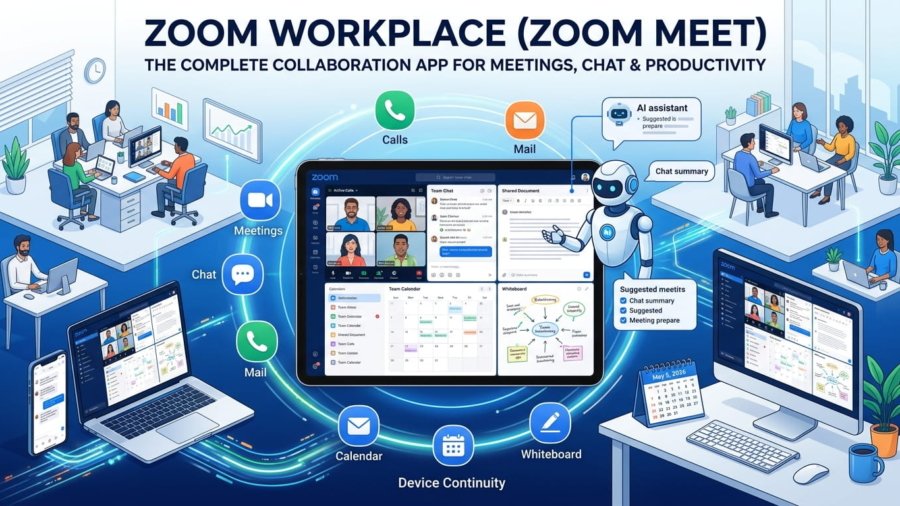
In today’s fast-moving digital world, switching between multiple apps for meetings, messaging, and work management slows you down. That’s where Zoom Workplace comes in. Commonly known as Zoom Meet, it is a powerful all-in-one collaboration platform designed to bring meetings, chat, calls, and documents into a single organized workspace.
Whether you are a professional, student, remote worker, or business owner, Zoom Workplace simplifies your daily workflow and keeps everything connected in one place.
What is Zoom Workplace?
Zoom Workplace is an advanced collaboration app that combines:
- Meetings
- Team Chat
- Phone calls
- Whiteboard
- Calendar
- Documents
Instead of juggling multiple tools, you can manage your entire workday from one app. This unified system reduces distractions and helps you stay focused, productive, and efficient.
Key Features of Zoom Workplace
1. All-in-One Workspace
Zoom Workplace brings everything together in one interface. You can:
- Start meetings
- Chat with teams
- Review documents
- Schedule tasks
This reduces app switching and keeps your workflow smooth from start to finish.
2. AI Companion on Mobile
One of the most powerful features is the built-in AI Companion.
It helps you:
- Summarize unread chat messages
- Prepare for upcoming meetings
- Draft quick responses
This is especially useful during busy schedules, allowing you to stay updated without reading long conversations. It is available at no extra cost for eligible Pro and Business plans.
3. Reliable Meetings & Collaboration
Zoom is globally trusted for its meeting quality. Key features include:
- One-tap meeting join
- Easy scheduling
- Screen sharing
- Breakout rooms
- Interactive whiteboards
You can move from a quick discussion to a full working session without leaving the app.
4. Device Continuity & Multitasking
Zoom Workplace is designed for flexibility.
- Switch meetings between devices anytime
- Use Picture-in-Picture on Android
- Enable split-screen on tablets
This allows you to take notes, read messages, or access files while staying in a live meeting.
5. Integrated Chat & Phone System
Zoom Workplace also includes:
- Team Chat for internal and external communication
- Phone calling features (depending on plan)
- SMS support in selected regions
This ensures all communication stays in one thread, improving clarity and response time.
Plans and Availability
Zoom Workplace offers different plans based on your needs:
Basic (Free Plan)
- Up to 100 participants
- 40-minute group meetings
Paid Plans (Pro & Business)
- Longer meeting durations
- Cloud recording
- Advanced AI features
- Phone and SMS (region-based)
Availability of some features depends on your region and account type, so it’s always best to check your plan details.
Joining Zoom Meetings on Android
Zoom Workplace is optimized for mobile users.
On Android:
- Meetings run through the app (not browser)
- Full access to video, audio, chat, and screen sharing
- Better stability for remote work and travel
This ensures a smooth and reliable meeting experience anytime, anywhere.
How to Use Zoom Workplace on Android (Step-by-Step)
Getting started is simple:
- Open Zoom Workplace and sign in
- Allow permissions (camera, microphone, notifications)
- Join or schedule a meeting from the home screen
- Use Team Chat for messaging and file sharing
- Enable Picture-in-Picture for multitasking
- Switch devices easily if needed
With these steps, you can manage meetings, communication, and tasks from one place.
Why Zoom Workplace is Best for Productivity
Zoom Workplace stands out because it:
- Eliminates the need for multiple apps
- Improves communication and collaboration
- Saves time with AI-powered features
- Supports remote and hybrid work environments
For professionals and businesses, it’s not just a meeting app. It’s a complete digital workspace.
Start Using Zoom Workplace Today
If you want a smarter and more organized way to handle meetings, chat, and work tasks, Zoom Workplace is a strong choice. You can download the latest version and start collaborating instantly.
Official Resources
For digital marketing professional services.
- Website: https://www.arazidigitalmedi.com
- Website: https://www.zoom.com
- Download: https://zoom.us/download
- Support: https://support.zoom.com/hc
Final Thoughts
Zoom Workplace, often called Zoom Meet, has evolved into a full collaboration ecosystem. It brings together communication, meetings, and productivity tools in one powerful app.
If your goal is to work smarter, stay organized, and collaborate effectively, this platform can transform how you manage your daily workflow.